Data Sync
Data Syncs are powerful, user-defined ledgers of data that function as customizable time series database tables. They provide a flexible way to store and manage various types of information related to your project.
Overview
Data Syncs allow you to:
- Create custom data structures tailored to your specific needs
- Store and retrieve time-based data efficiently
- Integrate with other platform features, such as the Rule Engine
Creating a Data Sync
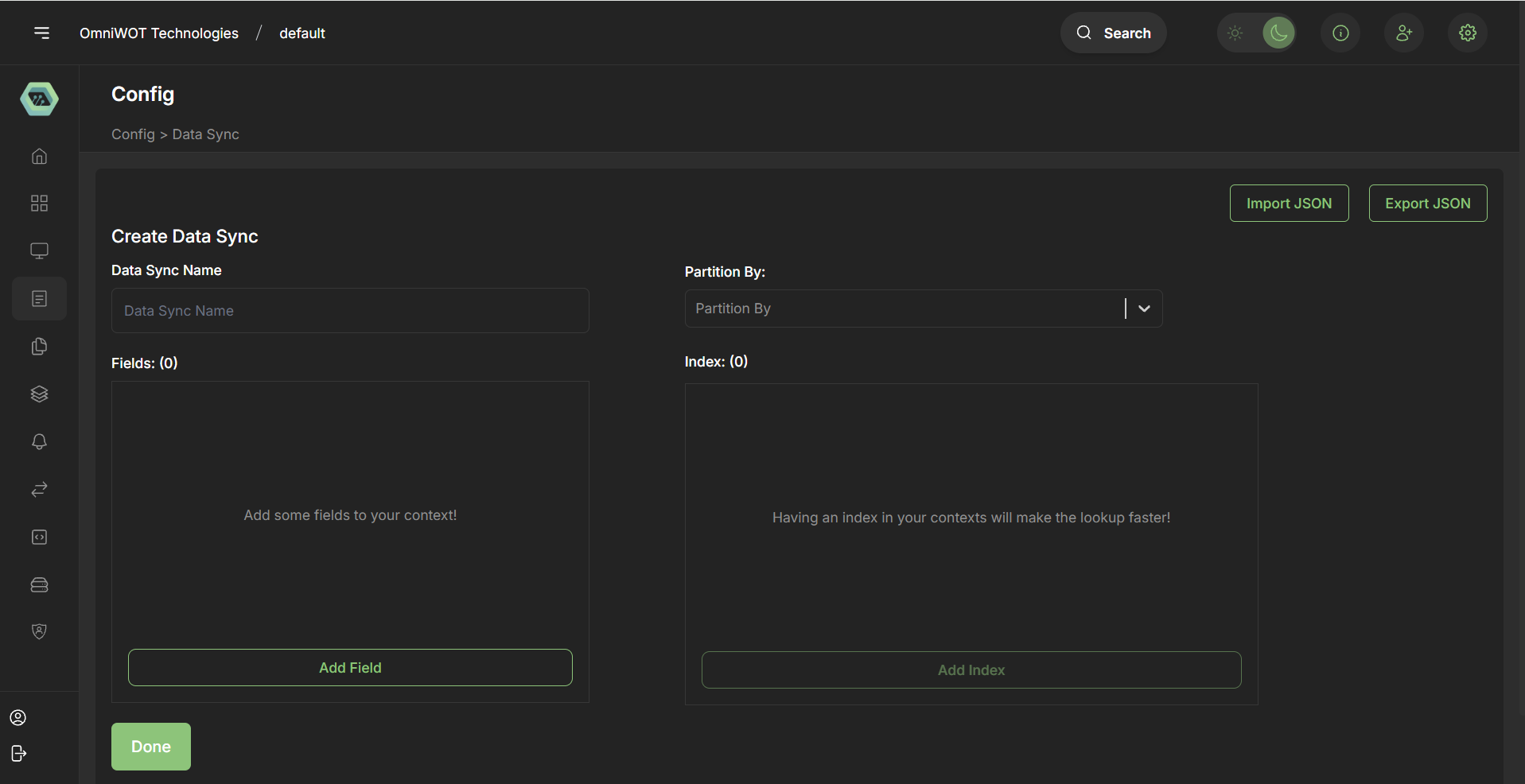
When creating a Data Sync, you can define multiple fields to structure your data. For each field, you can specify:
- Name: A unique identifier for the field
- Field Type: Any standard PostgreSQL data type
- Required: Whether the field is mandatory or optional
- Partition By: Option to partition data based on this field
- Indexes: Add indexes to optimize query performance
Certainly! I'll add a new section for Integration with Dashboard Panels and include the information about default columns. Here's the updated markdown documentation:
Default Columns
Every Data Sync automatically includes two default columns:
- timestamp: Automatically filled with the date and time when a row is inserted.
- source_id: Stores the origin of the row, such as an Action ID or other identifier.
These default columns provide built-in tracking for when and where data entries originate, enhancing traceability and analysis capabilities.
Use Cases
Data Syncs are versatile and can be used for various purposes, including:
- Storing user transaction data
- Tracking event logs
- Managing time-series metrics
Example: Transaction Data Storage
One common use case for Data Syncs is storing transaction data. Here's how you might set it up:
- Create a Data Sync for transactions
- Define fields such as:
transaction_id(text, required)amount(numeric, required)currency(text, required)timestamp(timestamp, required, partition by)user_id(text, required)status(text, required)
- Add indexes on frequently queried fields (e.g.,
user_id,status)
Integration with Rule Engine
Data Syncs can be seamlessly integrated with the platform's Rule Engine.
Example Workflow
- Create a Rule that acts as a webhook for payment events
- Define an action within the Rule to store transaction info in the Data Sync
- Automatically populate your transaction Data Sync as payments are processed
This integration allows for real-time data capture and storage, enabling you to build powerful, data-driven features for your application.
Integration with Dashboard Panels
Data Syncs serve as powerful data sources for creating dynamic and insightful dashboard panels. This integration allows you to visualize and analyze your data effectively.
Using Data Syncs in Dashboards
Data Source Selection: Choose a Data Sync as the data source for your dashboard panel.
Parameter Configuration: Utilize the columns from your Data Sync as parameters for your visualizations.
Data Manipulation: Apply various data operations to your Data Sync data:
- Aggregations (e.g., sum, average, count)
- Computational queries
- Filtering and sorting
Visualization Options: Present your data using a variety of chart types:
- Line charts
- Bar charts
- Tables
- Pie charts
- And more
Example Workflow
- Select your "Transactions" Data Sync as a data source.
- Use the "amount" column for values and "timestamp" for the x-axis.
- Apply a sum aggregation on "amount" grouped by day.
- Visualize the result as a line chart showing daily transaction totals.
This integration enables you to create rich, data-driven dashboards that provide real-time insights into your application's performance and user behavior.