Data Points
Table of Contents
- Introduction
- What is a Data Point?
- Importance of Data Points
- Creating Data Points in OmniWOT
- Example Use Case: Smart Agriculture Sensor
- Best Practices
- Platform Behavior
- Glossary
- Conclusion
1. 🔰 Introduction
In IoT platforms like OmniWOT, Data Points represent the smallest measurable units collected from devices—such as temperature, battery level, motion, or GPS coordinates.
They are essential for:
- Visualization on dashboards
- Triggering alerts and rules
- Storing structured historical data
- Enabling API-based access and reporting
2. 📌 What is a Data Point?
A Data Point is a named field within the decoded payload from an IoT device. Each data point has:
- Name (e.g.,
soilMoisture) - Type (e.g., float, integer, boolean, string)
- Unit (e.g., %, °C, lux, m/s²)
- Description (optional, for clarity)
It represents one discrete piece of sensor data.
3. 🌟 Importance of Data Points
| Purpose | Why It's Important |
|---|---|
| Dashboards | Power widgets and real-time views |
| Alerts & Triggers | Create conditions like "battery < 20%" |
| Data Storage | Store structured data in PostgreSQL or time series DB |
| API & Reporting | Query via RESTful APIs using semantic data |
| Analytics & AI | Feed clean sensor data into ML pipelines |
Without clearly defined data points, your data pipeline is unstructured and unmanageable.
4. Creating Data Points in OmniWOT
OmniWOT Technologies provides a streamlined interface to create and manage Data Points using Protocol Buffers (Proto). Users can define these in three flexible ways:
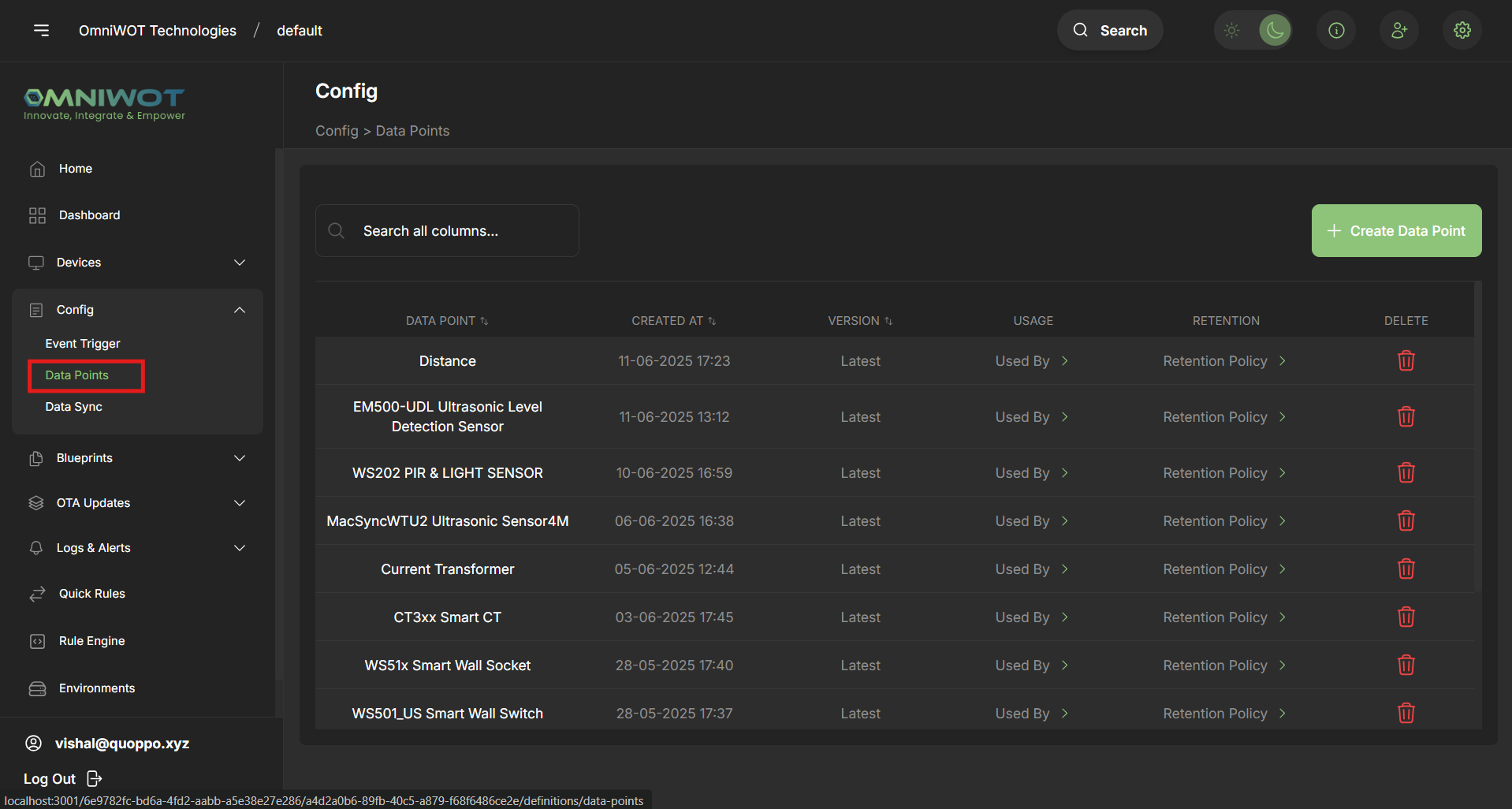
1. Navigate to Data Points:
- On the sidebar, click on Config > Data Points
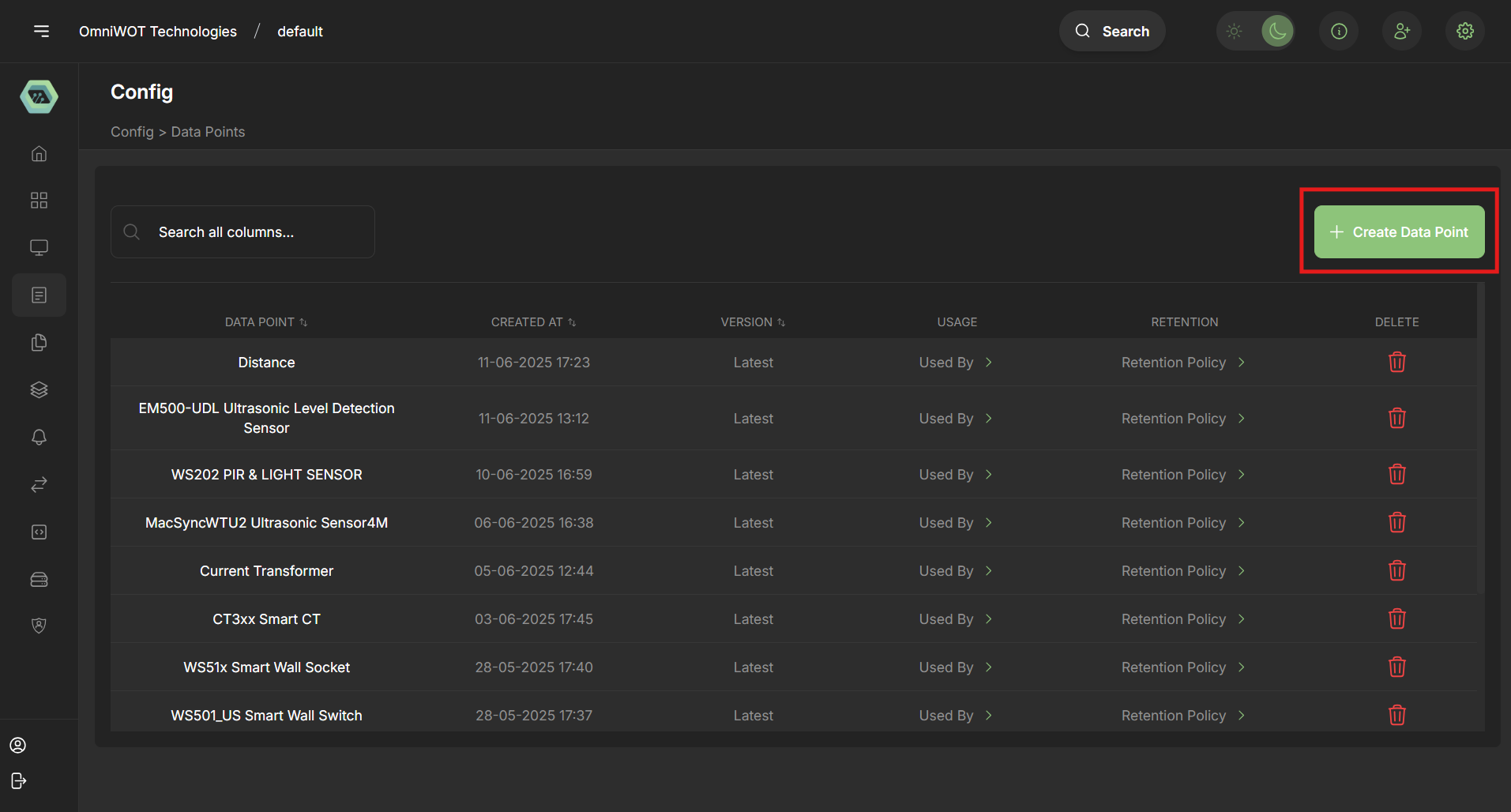
2. Click "Create Data Point":
- On the right hand side click on the button "Create Data Point"
3. You have 3 ways to create data points:
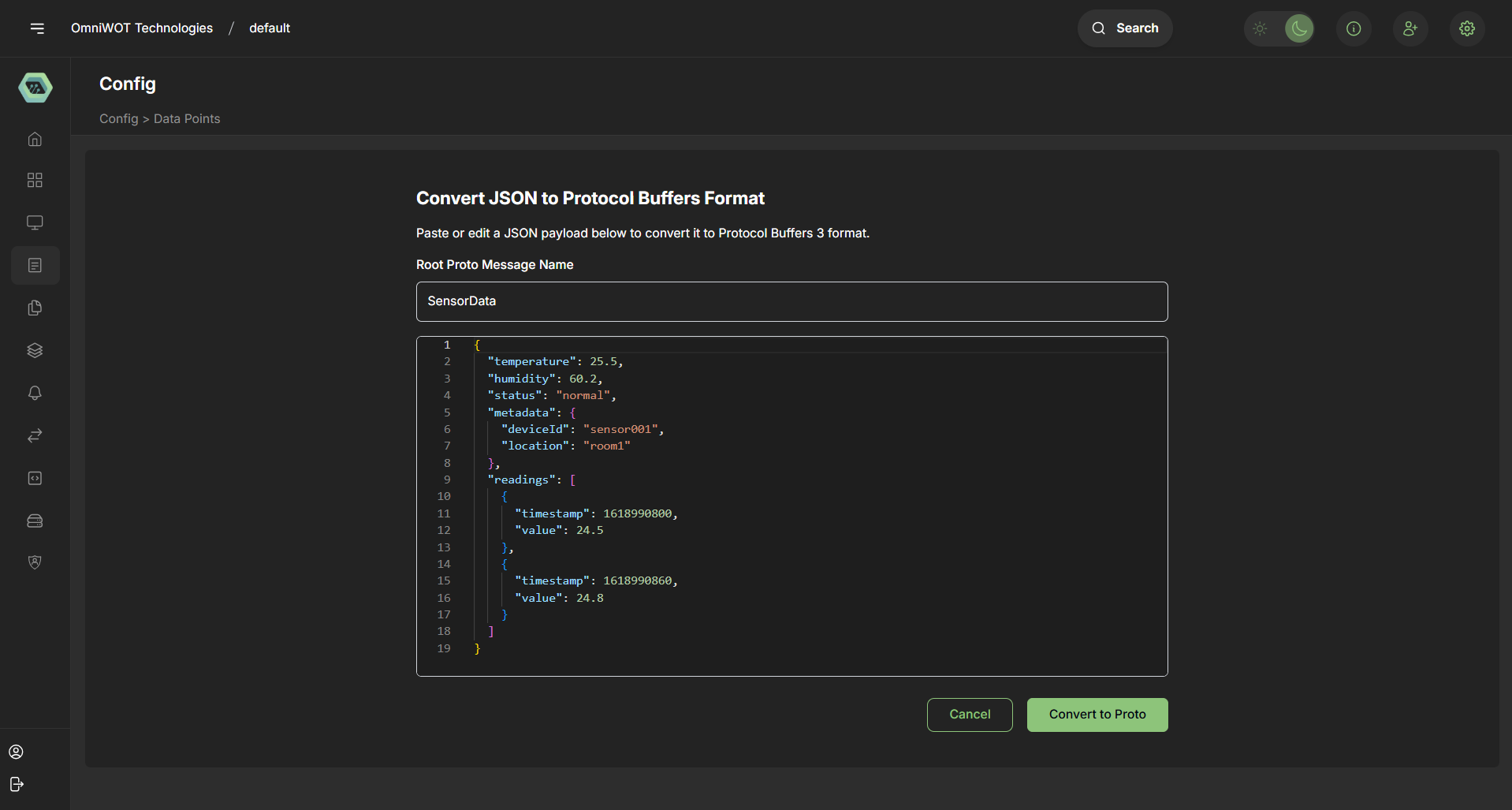
3.1 - Start with JSON (Create from JSON Sample)
Best For: Rapid prototyping with existing sample payloads
How It Works:
- Paste/upload a JSON sample
- OmniWOT auto-generates the equivalent
.protoschema
Example:
Input JSON:
{
  "temperature": 22.5,
  "batteryLevel": 90,
  "deviceId": "sensor_01"
}
Generated Proto:
message SensorData {
  float temperature = 1;
  int32 batteryLevel = 2;
  string deviceId = 3;
}
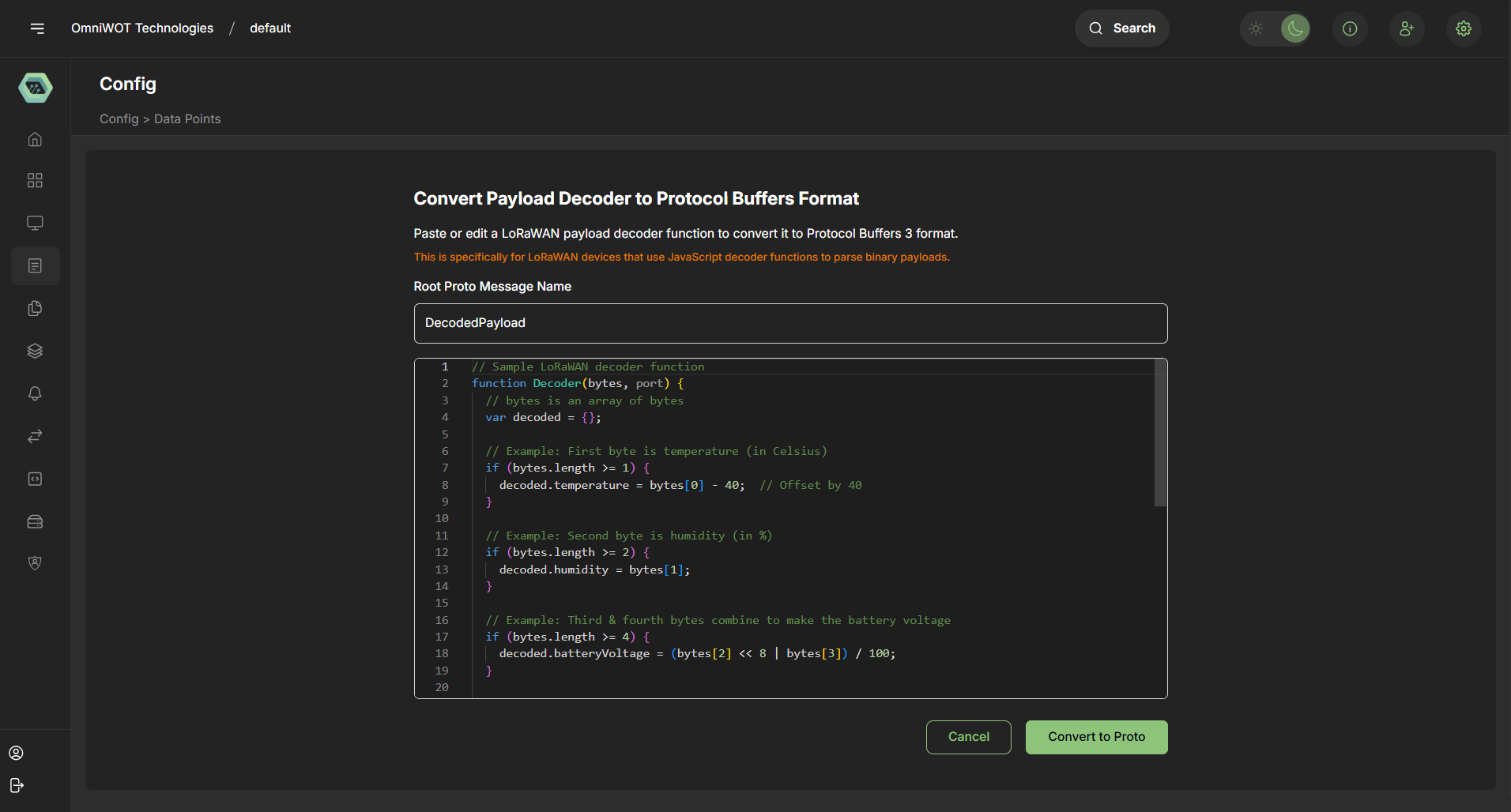
4.2 - From Payload Decoder (Create from Decoder Sample)
Best For: LoRaWAN devices with encoded payloads
How It Works:
- Provide a JavaScript decoder function
- Supply a sample byte array
- OmniWOT decodes and infers
.protofields automatically
Example:
JS Decoder:
function decode(bytes) {
  return {
    soilMoisture: ((bytes[0] << 8) | bytes[1]) / 10,
    isOn: bytes[2] === 1,
  };
}
Generated Proto:
message SoilStatus {
  float soilMoisture = 1;
  bool isOn = 2;
}
4.3 - Add Proto Directly (Create using Proto definition)
Best For: Advanced users or predefined device schemas
How It Works:
- Manually input or paste a full
.protoschema - Offers full control and customization
- Manually input or paste a full
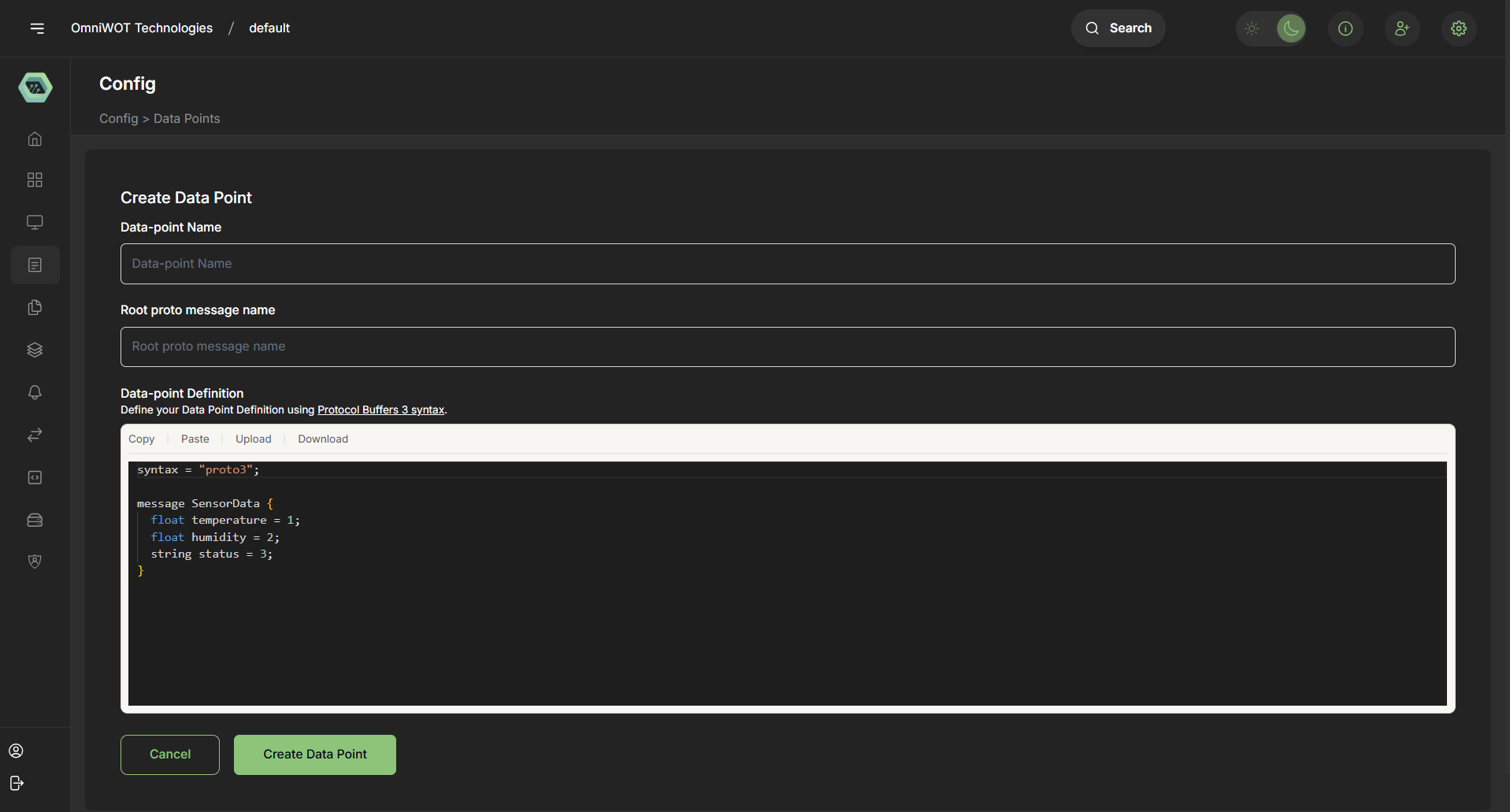
Example:
message PumpController {
  bool isPumpOn = 1;
  float soilMoisture = 2;
  enum Mode {
    AUTO = 0;
    MANUAL = 1;
  }
  Mode irrigationMode = 3;
}
- 🛠️ Creating Data Points in OmniWOT You can define data points in OmniWOT via three primary methods, depending on your source data:
➤ A. Create from JSON Sample Ideal for: Users with raw decoded JSON uplinks Steps: Go to the Data Points tab under the device profile
Click “Create from JSON”
Paste a sample JSON payload:
json:
{
  "temperature": 26.7,
  "humidity": 70,
  "soilMoisture": 54.2,
  "battery": 3.9
}
OmniWOT auto-generates:
Names
Types (float, integer)
Units (optional, editable)
Review & Save
✅ Benefits: Fastest way to define data points from existing output
➤ B. Create from Payload Decoder Ideal for: Devices using JavaScript decoders Steps: Go to the Decoder Script tab
Write or upload a JavaScript function returning a structured object:
js:
function decodeUplink(input) {
  return {
    data: {
      temperature: 26.7,
      battery: 3.9
    }
  };
}
Click “Analyze Decoder”
The platform scans the data object and generates data point templates
Review and assign metadata (units, descriptions)
✅ Benefits: Integrated workflow if you're writing custom decoders
➤ C. Create using Proto Definition Ideal for: Enterprise or structured integrations Steps: Upload your .proto file with schema:
proto:
message SensorData {
  float temperature = 1;
  float humidity = 2;
  float battery = 3;
}
OmniWOT will parse and register these fields as data points
Supports gRPC or Protobuf-based payloads
✅ Benefits: Strong typing, supports nested fields and enums
- 🌾 Example Use Case: Smart Agriculture Sensor Device sends JSON payload: json
{
  "temperature": 27.5,
  "humidity": 61,
  "soilMoisture": 47.3,
  "battery": 3.7
}
Resulting Data Points:
| Name | Type | Unit | Description |
|---|---|---|---|
| temperature | float | °C | Ambient temperature |
| humidity | int | % | Relative humidity |
| soilMoisture | float | % | Moisture in soil |
| battery | float | V | Battery voltage of sensor |
✅ Best Practices Practice Description Use consistent naming e.g., soilMoisture, not soil_mst or SM Define units clearly Helps with visualization and rules Avoid duplicate names Prevents overwrites and confusion Add descriptions Makes data points understandable Group logically e.g., environmental, location, power
⚙️ Platform Behavior Data points are device-type scoped, not per-device
Once defined, data points automatically appear in:
Dashboards
Alerts
Data streams
Data is time-stamped and stored in time series DB
OmniWOT supports versioning of data point definitions
📚 Glossary Term Meaning Data Point A measurable field (e.g., temperature) in decoded data Payload The raw binary or JSON data received from a device Decoder Script that converts payload into readable structure Proto Protocol Buffers schema used for typed data Unit Measurement unit (e.g., %, °C, V)
🔚 Conclusion Data points are the foundation of any meaningful IoT solution. In OmniWOT, they are easy to define, highly flexible, and support multiple workflows—from quick JSON prototyping to enterprise-grade Proto schemas. By properly structuring your data points, you unlock powerful features across the platform including dashboards, rules engine, analytics, and APIs.
5. Example Use Case: Smart Agriculture Sensor
| Data Point | Type | Unit | Access | Purpose |
|---|---|---|---|---|
soilMoisture | float | % | Read | Monitor soil condition |
temperature | float | °C | Read | Ambient temp for crop health |
pumpStatus | boolean | - | RW | Control water pump |
irrigationMode | enum | - | RW | Set auto/manual irrigation |
6. Best Practices
- ✅ Keep naming conventions consistent and semantic
- ✅ Use meaningful units and descriptions
- ✅ Leverage enums for status/mode values
- ✅ Retain latest values only where necessary
- ✅ Use decoder functions responsibly to reduce complexity
- ❌ Avoid excessive use of
stringfields for telemetry
7. Platform Behavior
| Feature | Description |
|---|---|
| Protocol Buffer Integration | All Data Points are internally represented using .proto format |
| Validation | Automatic type inference and schema validation |
| Versioning | Changes to Data Point definitions are version-controlled |
| Cancel Option | Cancel any data point creation process without saving |
8. Glossary
| Term | Meaning |
|---|---|
| Telemetry | Remote data collection from sensors |
| Proto | Protocol Buffers schema definition |
| Downlink | Sending commands to a device |
| Uplink | Device sending data to the platform |
| Decoder | JS function to translate payloads |
9. Conclusion
Data Points are the backbone of the OmniWOT IoT architecture. Whether you're building agricultural systems, industrial automation, or smart cities — defining clean, scalable, and semantically-rich Data Points enables powerful data-driven applications.
OmniWOT's versatile tooling with JSON, decoders, and Proto directly ensures you're always in control, no matter your technical skill level.
For advanced use cases or integrations, we recommend leveraging full Proto definitions and adhering to best practices to maintain interoperability and future scalability.