Quick Rules
What Are Quick Rules?
Quick Rules are lightweight, user-friendly automation templates in OmniWOT that let you define event-driven actions with minimal configuration. Ideal for both technical and non-technical users, Quick Rules simplify IoT automation by removing the need for complex logic or coding.
They are perfect for rapid configuration of common IoT scenarios such as threshold alerts, device control, and real-time monitoring.
🧠 Use Cases
| Use Case | Example |
|---|---|
| Temperature Alert | Trigger alert if temperature > 30°C |
| Leak Detection | Notify when water leak sensor is active |
| Motion Detection | Switch on light or camera on motion detect |
| Device Offline | Alert if device stops sending data |
| Power Failure | Notify if voltage drops below threshold |
🔧 How Quick Rules Work
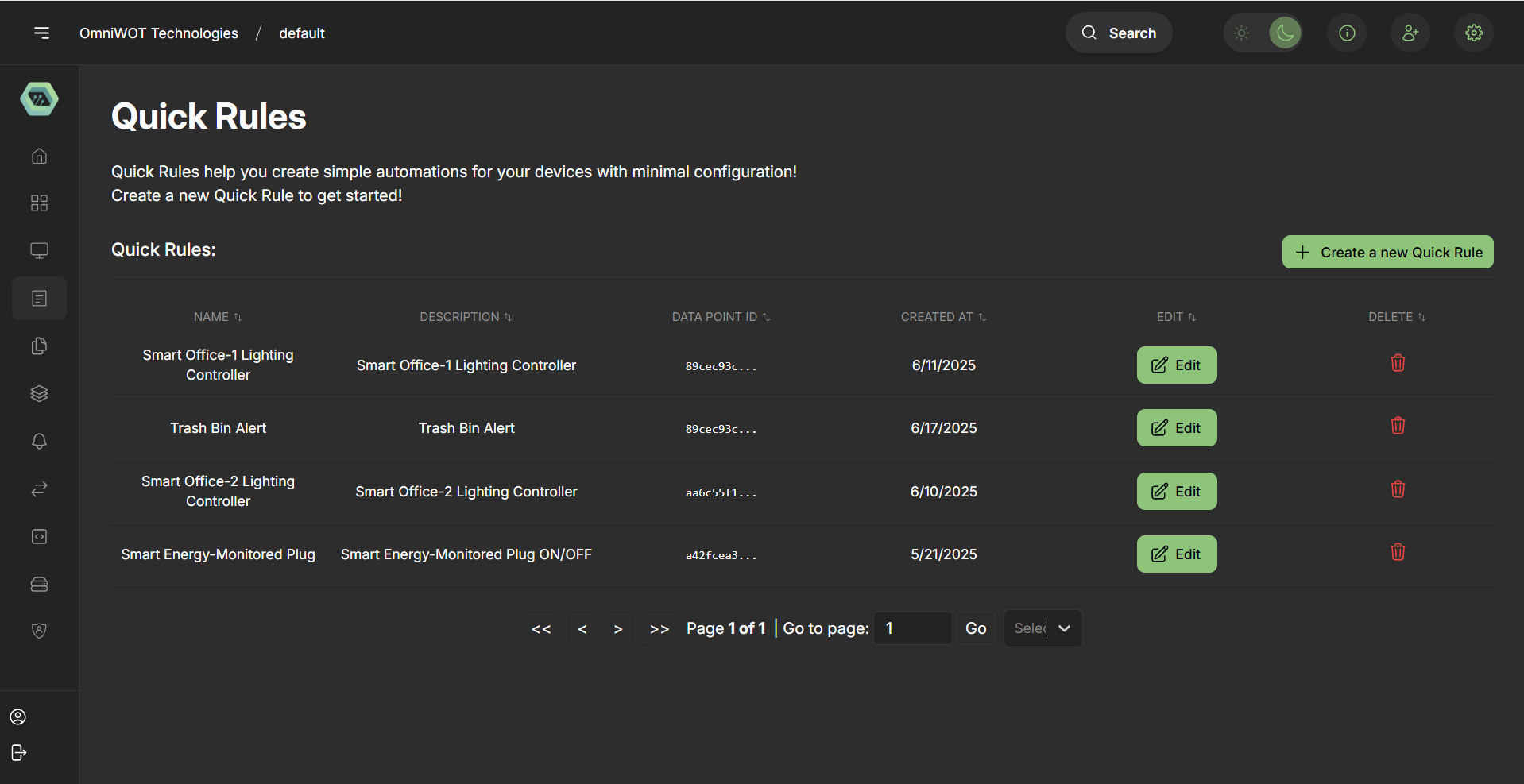
Quick Rules are created in three easy steps:
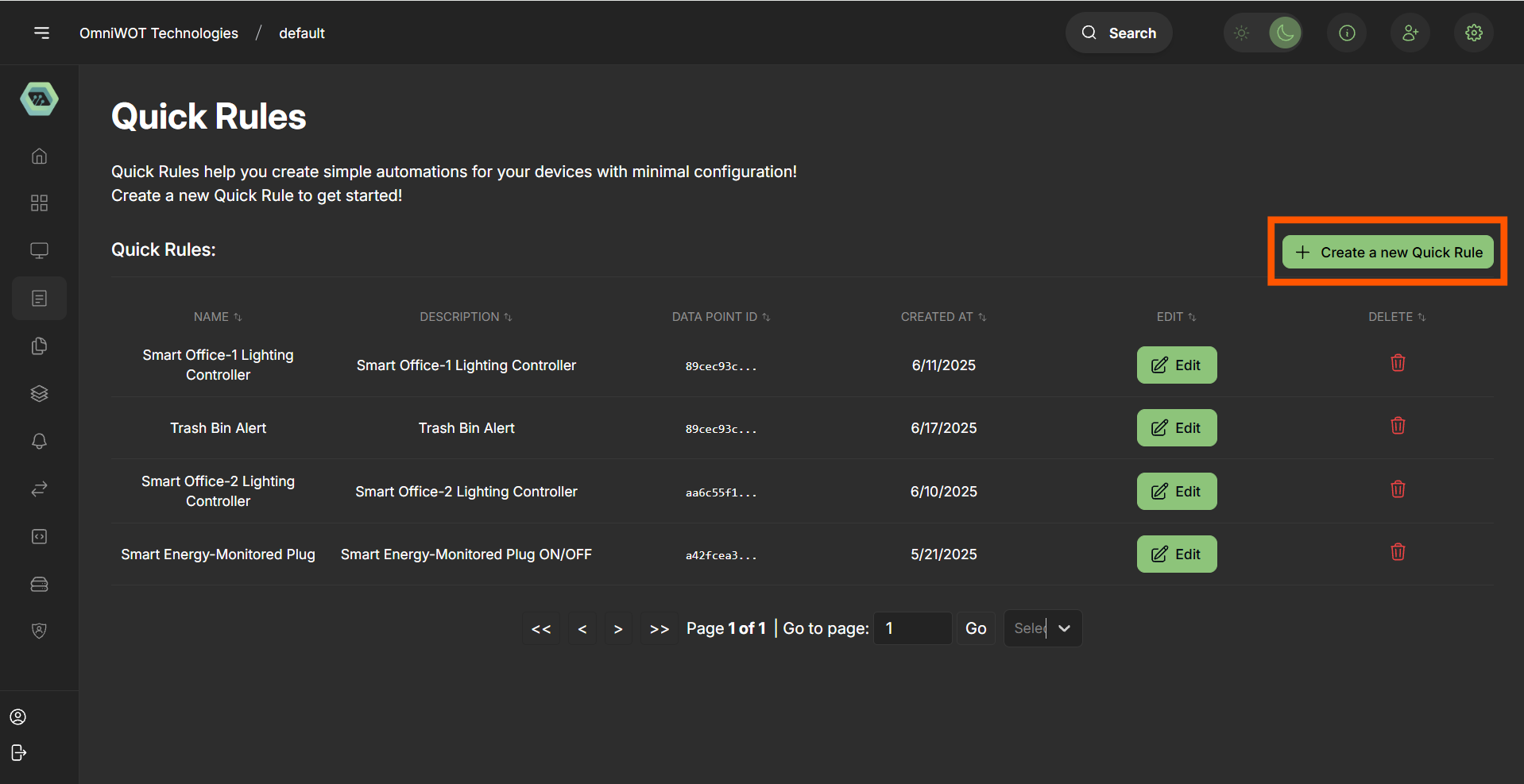
Step 1: Click on "create a new Quick rule" button.
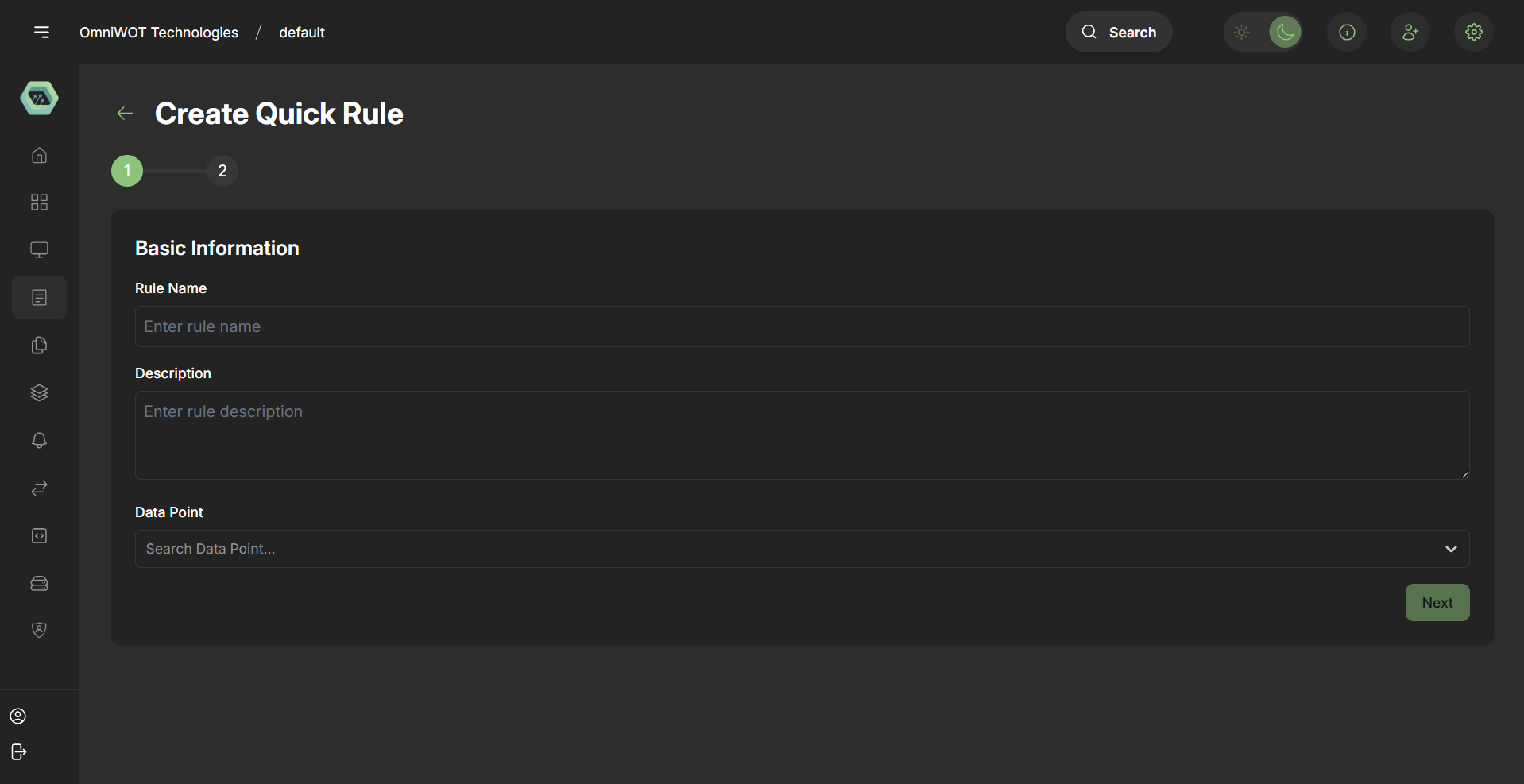
Step 2: Basic Information
- Rule Name: Descriptive title (e.g., "High Temp Alert")
- Description: Brief description of what the rule does
- Data Point: Select the sensor data stream (e.g., temperature, humidity)
Step 2: Define Condition
Define a logical expression that triggers the rule.
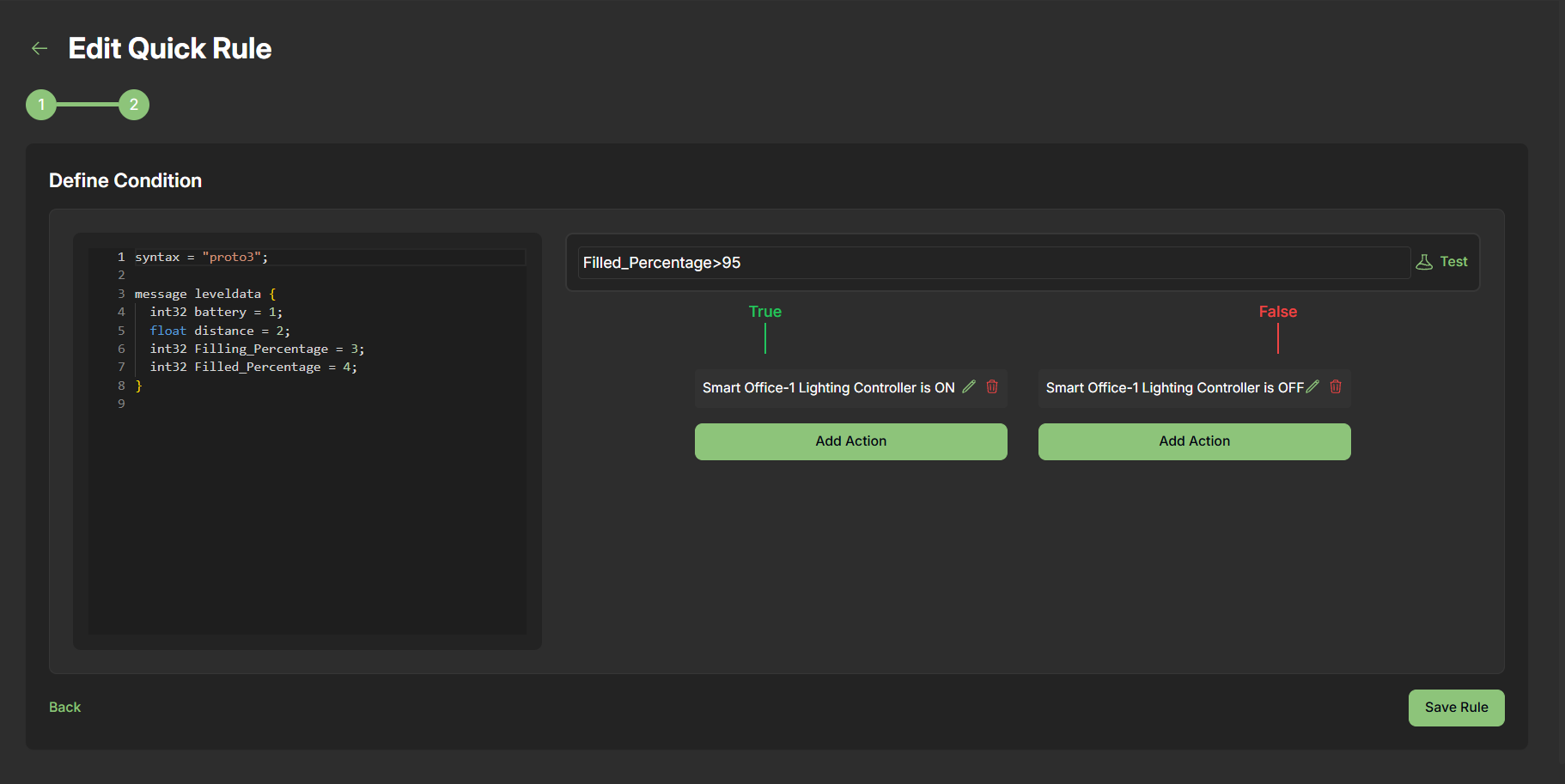
Syntax Example:
temperature > 30Test the Condition: Use a JSON test input to simulate sensor data:
{
  "temperature": 25.5,
  "humidity": 60,
  "device_id": "sensor-123"
}
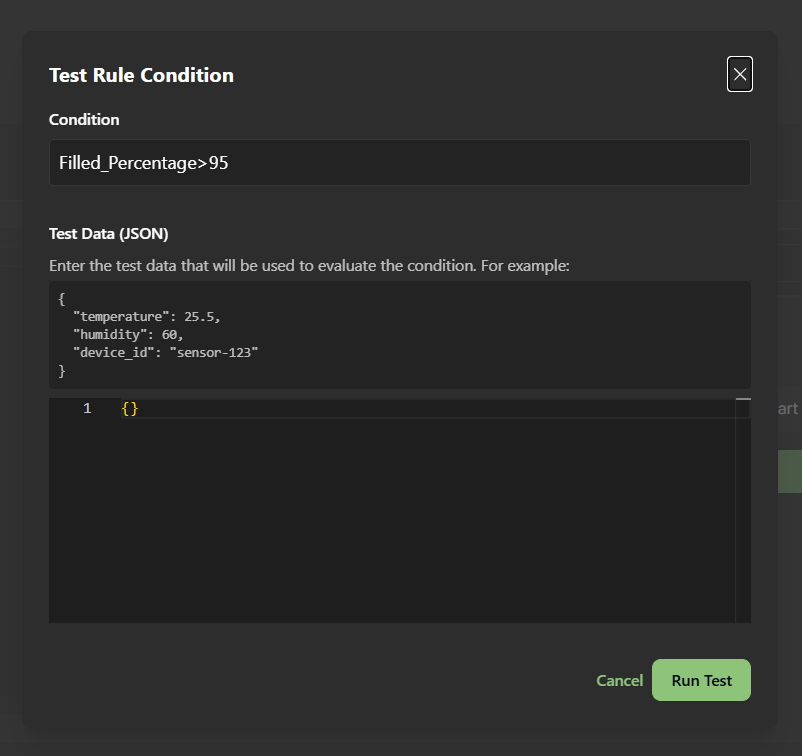
Click Run Test to evaluate the condition — result is either True or False.
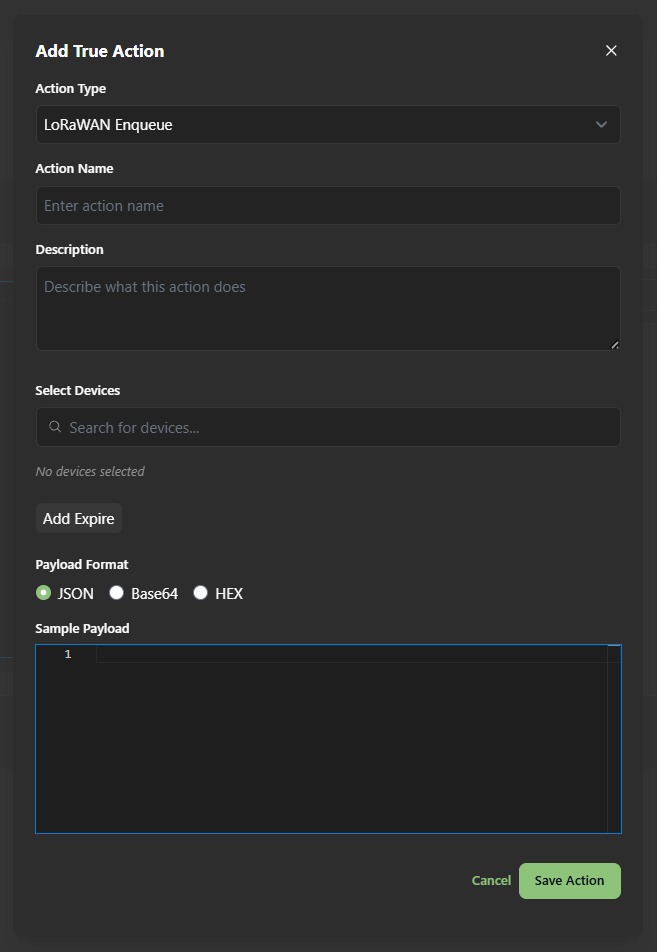
Step 3: Add Action
- Add action for the conditions to be
TrueorFalse
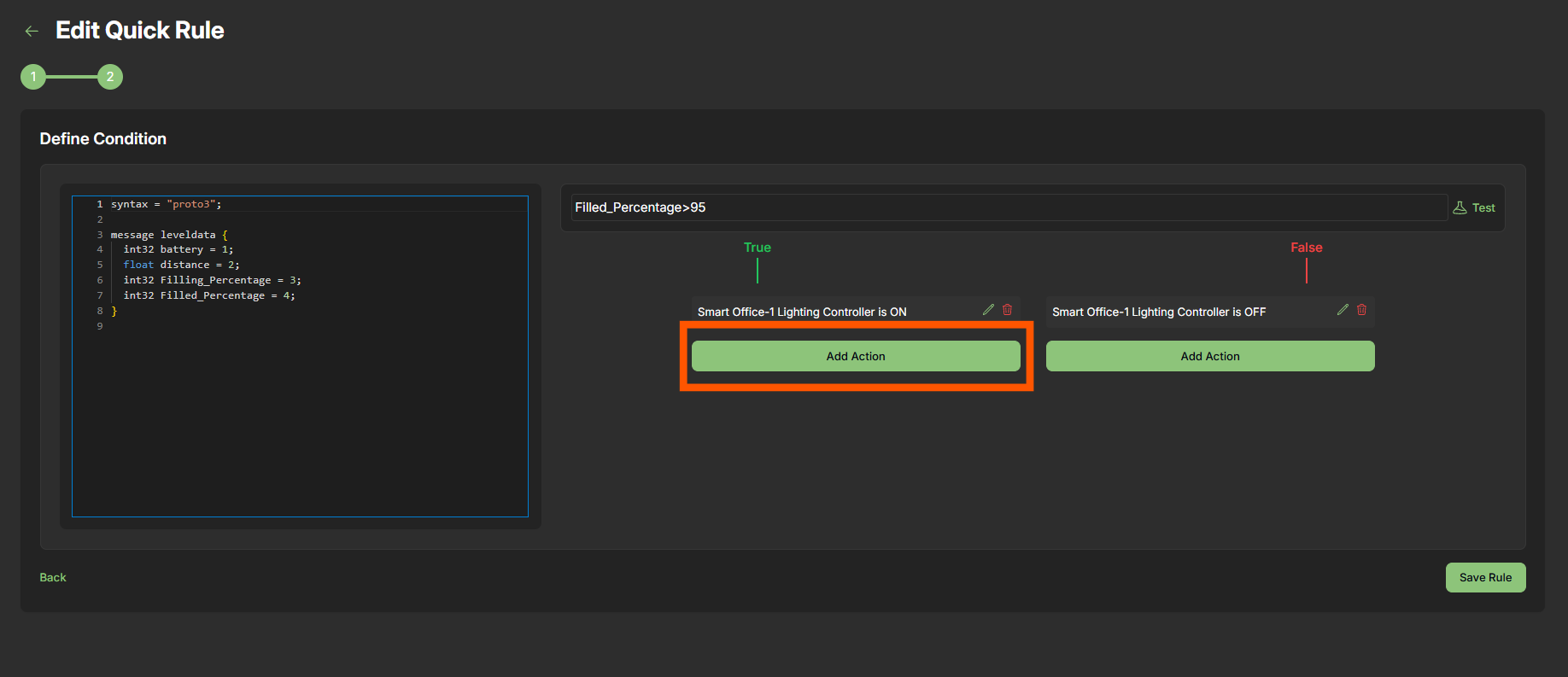
Step 4: Click Save Rule to activate your Quick Rule.
✅ Existing Rules (Examples)
| Rule Name | Description | Device ID | Created On |
|---|---|---|---|
| Smart Office-1 Lighting Ctrl | Auto light control for office-1 | 89cec93c... | 06/11/2025 |
| Trash Bin Alert | Alert when bin is full | 89cec93c... | 06/17/2025 |
| Smart Energy Plug | Energy plug ON/OFF automation | aa6c55f1... | 06/10/2025 |
⚙️ Under the Hood: Proto3 Support
Quick Rules support parsing payloads based on Protocol Buffers (Proto3).
Example Proto Definition:
syntax = "proto3";
message SData {
  float distance = 1;
}
This enables robust binary payload parsing for advanced users.
🔐 Permissions
Only users with Config or Admin roles are authorized to:
- Create Quick Rules
- Edit or Delete Rules
🚀 Benefits of Quick Rules
- No-code automation
- Rapid configuration for MVPs and prototypes
- Intuitive UI — perfect for business users
- Easily test, activate, and update rules
- Reusable templates for common IoT workflows
📌 Summary
Quick Rules are a powerful feature within OmniWOT that empower users to:
- Monitor key sensor data
- Define clear, actionable thresholds
- Respond in real-time through automated actions
With minimal setup, Quick Rules allow teams to control and monitor their IoT infrastructure efficiently.